
How to Register for EBSU Post UTME 2026/2027 Online
Follow Studentsdash
Get the latest admission updates, school news, NELFUND information, scholarships and important announcements directly on Telegram and WhatsApp.
Stay connected so you don’t miss important student updates.
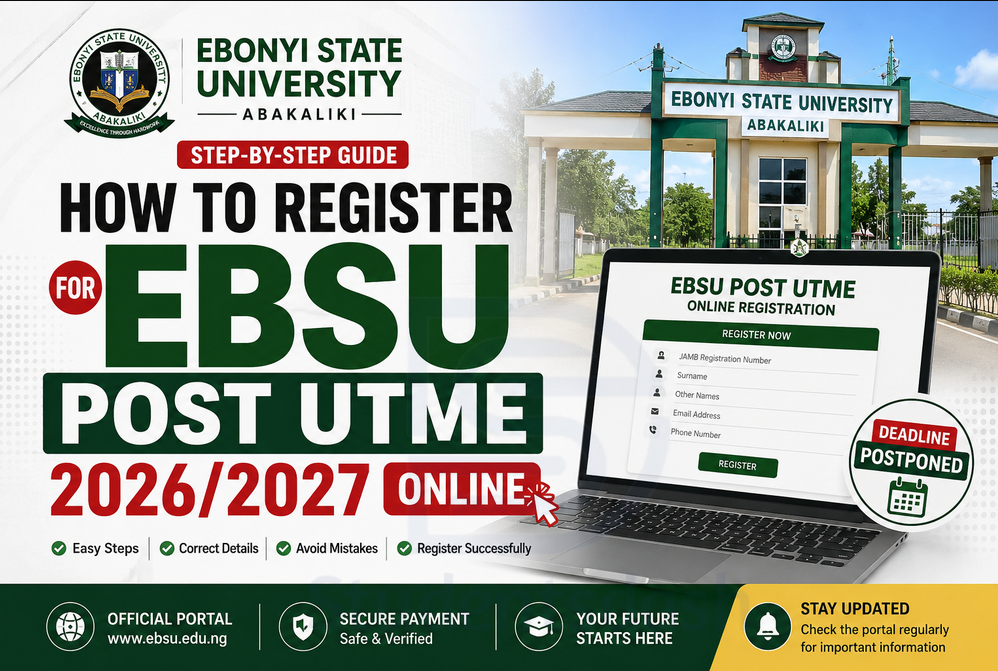
The Ebonyi State University, Abakaliki, EBSU Post UTME registration for the 2026/2027 admission exercise is still ongoing, and every candidate who wants to gain admission into EBSU should take the registration very seriously.
If you chose EBSU as your first choice in JAMB, or you are planning to change your institution to EBSU, this is the right time to complete your Post UTME registration. Candidates are advised not to wait until the last minute before registering because mistakes during registration can affect their admission chances.
Also, if you need help or you have questions about the EBSU Post UTME registration, Studentsdash can assist you. You can join the Studentsdash Telegram channel through t.me/studentsdash or message/call 07075012541 for guidance.
EBSU Post UTME Deadline Was Postponed
When the form was first announced, the registration had a closing date. However, the good news is that the EBSU Post UTME deadline was later postponed, meaning candidates who were not able to register before now still have another opportunity to complete their registration.
This extension is a big chance for candidates who have not yet registered. But even though the deadline was postponed, you should not relax too much. The portal may not remain open forever, and many students usually rush to register when the new deadline is close.
If you are confused about the new deadline, registration process, portal issues, payment, or the correct documents needed, you can contact Studentsdash through t.me/studentsdash or 07075012541.
Who Can Register for EBSU Post UTME 2026/2027?
You can register for EBSU Post UTME if you scored up to the required JAMB cut-off mark and you chose Ebonyi State University as your first choice.
Candidates who did not choose EBSU before but now want to apply can also do a change of institution on the JAMB portal before proceeding with the EBSU Post UTME registration.
Before registering, make sure you know the correct cut-off mark for your course. Some courses require higher scores than others. For example, courses like Medicine, Nursing, Law, Medical Laboratory Science, and Computer Science usually have higher cut-off marks than many other departments.
If you do not know the right course to choose or you are not sure whether your JAMB score is enough, Studentsdash can help you check and guide you properly. Join t.me/studentsdash or contact 07075012541.
How to Register for EBSU Post UTME Online
To register for EBSU Post UTME online, candidates are expected to visit the official EBSU portal and follow the online application process.
The registration usually involves entering your JAMB registration number, generating an invoice, making payment, filling your personal details, uploading your O’Level result, and submitting the form.
If you are doing it yourself, make sure you are very careful. If you are not sure of any step, do not guess. It is better to ask for help from someone who understands the process. You can also reach out to Studentsdash on t.me/studentsdash or 07075012541 for help.
Step 1: Visit the EBSU Post UTME Portal
The first step is to visit the official EBSU Post UTME portal.
Make sure you are using the correct portal. Do not use random links from people you do not trust. Some candidates make mistakes by using wrong links, and this can lead to payment issues or wrong registration.
If you are not sure of the correct portal to use, ask before you continue. Studentsdash can guide you and help you avoid fake or wrong links. You can join the channel through t.me/studentsdash.
Step 2: Select the Post UTME Application Form
After opening the portal, look for the section for online application forms.
Choose the Post UTME application form if you are a UTME candidate. If you are applying through Direct Entry, choose the Direct Entry option.
Make sure you select the correct form before continuing.
Step 3: Enter Your JAMB Registration Number
You will be asked to enter your JAMB registration number.
This is one of the most important parts of the registration. Do not rush it. Check the number very well before submitting. One wrong letter or number can cause serious problems.
If someone is helping you register, make sure you are watching while they enter your details.
Step 4: Generate Your Payment Invoice
After entering your JAMB registration number, the portal will allow you to generate your payment invoice.
The invoice is what you will use to make payment for the EBSU Post UTME form.
Make sure you save or print the invoice after generating it. If there is any payment issue later, the invoice can help you trace the payment.
For candidates who are confused about invoice generation or payment, Studentsdash can assist. You can contact 07075012541 or join t.me/studentsdash.
Step 5: Make Payment
After generating your invoice, you can proceed with payment.
You may be able to pay online with your ATM card, or you may be directed to pay through other available payment options. Make sure you follow the instruction on the portal.
After payment, keep your payment receipt or evidence safe. Do not delete it or throw it away.
Step 6: Return to the Portal and Complete the Form
After payment, return to the EBSU portal and continue the registration.
Fill in your details carefully. Your name, date of birth, phone number, email address, state, local government, course, and O’Level details must be correct.
Do not use someone else’s phone number or email unless it is necessary. It is better to use your own active phone number and email address so you can receive important admission updates.
Before you finally submit, you can ask Studentsdash to help you check if everything is correct. Message 07075012541 or join t.me/studentsdash.
Step 7: Upload Your O’Level Result
Your O’Level result is very important for admission.
Candidates should make sure their WAEC, NECO, NABTEB, or combined result is properly uploaded. Also, your O’Level result must be uploaded on JAMB CAPS.
Many students complete school Post UTME registration but forget to upload their O’Level result on JAMB CAPS. This can affect admission.
So after registering for EBSU Post UTME, make sure your O’Level upload is also done correctly.
If you are not sure whether your O’Level result has been uploaded properly, Studentsdash can guide you on what to do.
Other Ways to Register for EBSU Post UTME
If you cannot register by yourself, there are other ways to complete your registration.
You can go to a good cyber cafe.
You can visit any trusted CBT centre.
You can ask a trusted friend who knows how to register.
You can meet someone who has experience with EBSU Post UTME registration.
You can also contact Studentsdash for help or guidance through t.me/studentsdash or 07075012541.
The most important thing is to make sure the person helping you is trusted and knows what they are doing. Do not give your details or money to random people.
Mistakes to Avoid During EBSU Post UTME Registration
Do not use the wrong JAMB registration number.
Do not choose a course without checking the cut-off mark.
Do not register with the wrong O’Level result.
Do not forget to upload your O’Level on JAMB CAPS.
Do not use a wrong email or phone number.
Do not wait until the last day before registering.
Do not submit your form without checking your details.
Do not allow someone to register for you without reviewing everything.
If you want someone to help you check your details before submission, Studentsdash can help you avoid simple mistakes that may affect your admission.
Final Advice to EBSU Aspirants
If you are planning to gain admission into Ebonyi State University for the 2026/2027 academic session, make sure you complete your Post UTME registration properly.
The deadline was postponed, but that does not mean you should wait forever. Register early, use the correct details, choose the right course, upload your O’Level result, and make sure your JAMB CAPS is in order.
Whether you are registering by yourself, through a cyber cafe, at a CBT centre, or through a trusted friend, the most important thing is that your registration should be done correctly.
For questions, registration help, portal issues, course advice, cut-off mark guidance, or admission updates, contact Studentsdash on Telegram via t.me/studentsdash or call/message 07075012541.
Studentsdash is available to help EBSU aspirants stay updated and avoid costly admission mistakes.
Follow Studentsdash
Get the latest admission updates, school news, NELFUND information, scholarships and important announcements directly on Telegram and WhatsApp.
Stay connected so you don’t miss important student updates.


8 Comments