
Documents Needed for EBSU Post UTME Registration 2026/2027
Follow Studentsdash
Get the latest admission updates, school news, NELFUND information, scholarships and important announcements directly on Telegram and WhatsApp.
Stay connected so you don’t miss important student updates.
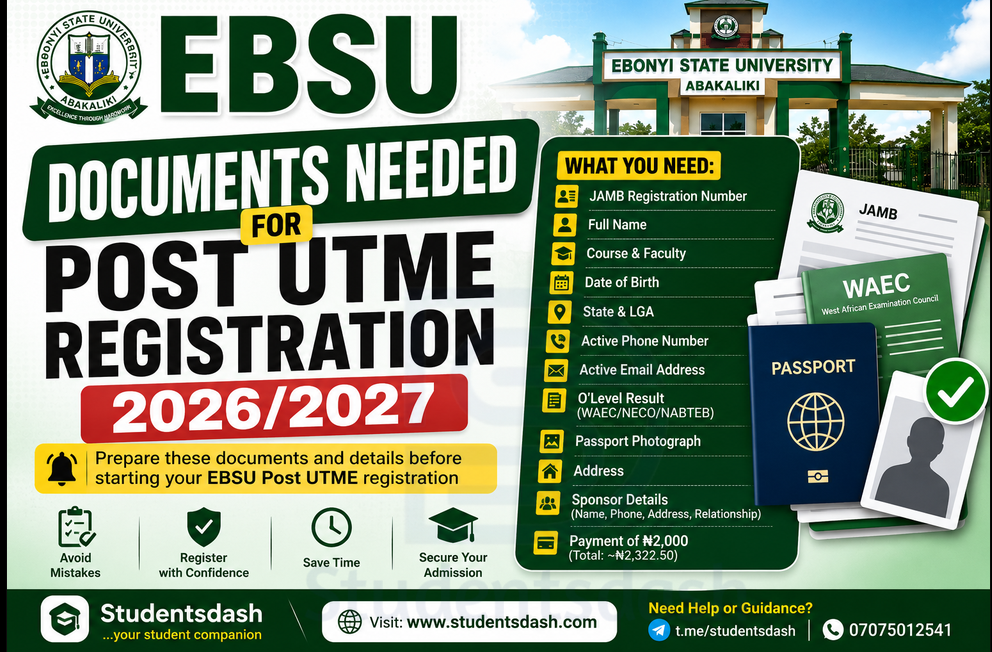
If you want to register for EBSU Post UTME 2026/2027, one of the best things you can do before starting is to prepare all the details and documents you may need.
Many candidates make mistakes during registration because they go to the cyber cafe or CBT centre without having their correct information ready. Some forget their JAMB registration number, some use the wrong phone number, some do not know their O’Level details, while others submit wrong information because they are rushing.
To avoid this kind of mistake, this article will show you the important things you should prepare before registering for Ebonyi State University, Abakaliki Post UTME screening.
If you need help with EBSU Post UTME registration, documents, O’Level upload, course selection, or admission updates, contact Studentsdash through t.me/studentsdash or call/message 07075012541.
Why You Should Prepare Your Documents Before Registration
Before you start your EBSU Post UTME registration, make sure all your details are ready.
This will help you register faster and avoid mistakes.
If you are going to a cyber cafe, CBT centre, or meeting someone to help you register, do not just go empty-handed. Go with the correct information so the person helping you will not guess anything.
Your admission process is serious, so every detail should be correct.
A small mistake in your JAMB registration number, O’Level result, course, phone number, or email address can cause issues later.
1. JAMB Registration Number
Your JAMB registration number is one of the most important details needed for EBSU Post UTME registration.
This is the number that connects your JAMB profile to the school registration.
Make sure you write it correctly. Do not guess. Do not use another person’s registration number.
Before submitting the form, check the JAMB registration number again to make sure there is no mistake.
2. Your Full Name
You also need your correct full name.
The name you use should match the name on your JAMB result, O’Level result, and other admission documents.
If your names are not arranged properly or there is a spelling mistake, it may cause issues later during admission or clearance.
So before registering, check your name carefully.
3. Your Course and Department
Before registering, you should know the course you want to study.
Do not choose a course without checking the cut-off mark and the O’Level subject combination.
For example, if you want to study Medicine, Nursing, Law, Medical Laboratory Science, Computer Science, or any other competitive course, make sure your JAMB score meets the requirement.
Do not just pick a course because your friend picked it.
If you are confused about the right course to choose, you can contact Studentsdash through t.me/studentsdash or 07075012541.
4. Faculty
You may also need to know the faculty your course belongs to.
For example, some courses fall under Faculty of Science, Faculty of Medicine, Faculty of Law, Faculty of Management Science, Faculty of Health Science and Technology, or other faculties.
Knowing your faculty can help you fill your form properly and avoid confusion.
5. Date of Birth
Your date of birth is another important detail.
Make sure the date of birth you use is correct and matches your other documents.
Do not change your date of birth carelessly because it may affect you later during admission or clearance.
6. Gender
You may be asked to select your gender during registration.
Make sure you choose the correct option before submitting the form.
7. State and Local Government Area
You should also know your state of origin and local government area.
Do not enter the wrong state or LGA.
This information may be needed during registration, admission processing, and clearance.
8. Active Phone Number
Use an active phone number that you can receive calls and messages on.
Do not use a phone number you no longer have access to.
If the school, JAMB, or anyone assisting you needs to reach you, your phone number should be working.
If someone is helping you register, make sure they do not use their own number unless you trust them completely.
9. Active Email Address
You also need an active email address.
Do not use an email you cannot open.
If possible, use the same email connected to your JAMB profile, or at least use an email you can access anytime.
Some candidates miss important updates because they used someone else’s email or forgot the password to their own email.
10. O’Level Result
Your O’Level result is very important for EBSU admission.
You should prepare your WAEC, NECO, NABTEB, or combined result before registration.
Make sure you know your subjects and grades correctly.
Do not enter wrong grades. Do not mix up WAEC and NECO. Do not use the wrong exam year.
If you are using two sittings, make sure both results are available and correct.
11. O’Level Exam Number and Year
Apart from your subjects and grades, you may need your O’Level exam number and exam year.
For example, if you wrote WAEC or NECO, check the result carefully and write out the correct exam number and year.
Do not allow someone at the cafe to guess it for you.
12. Passport Photograph
You may need a clear passport photograph during registration.
Use a good passport photo that shows your face clearly.
Avoid blurry photos, dark photos, or pictures that do not look official.
If you are asked to upload a passport, make sure the image is clear and correct.
13. Address
You may also need your home address or contact address.
Write an address that is correct and easy to understand.
14. Sponsor Details
Some registration forms may ask for sponsor or guardian details.
Your sponsor can be your parent, guardian, relative, or someone responsible for you.
Details may include:
Sponsor name
Sponsor phone number
Sponsor address
Relationship with sponsor
Make sure the details are correct.
15. Payment Details
The EBSU Post UTME form sells for ₦2,000, but because of online charges, the total payment may be around ₦2,322.50 depending on the payment platform.
After making payment, keep your payment receipt or evidence safe.
Do not delete your payment screenshot.
If there is any payment issue later, your evidence can help.
Where Can You Register for EBSU Post UTME?
You can register for EBSU Post UTME by yourself if you understand the process.
But if you are not sure of what to do, you can use any of these options:
A trusted cyber cafe
A trusted CBT centre
A trusted friend who knows how to register
Someone experienced with EBSU Post UTME registration
Studentsdash guidance and support
Do not give your details or money to random people.
If you need help understanding the process, visit https://studentsdash.com/how-to-register-for-ebsu-post-utme/ or contact Studentsdash through t.me/studentsdash or 07075012541.
Important Mistakes to Avoid
Do not register with the wrong JAMB registration number.
Do not use the wrong course.
Do not enter wrong O’Level grades.
Do not use an email you cannot access.
Do not use a phone number that is not active.
Do not forget to upload your O’Level result on JAMB CAPS.
Do not wait until the last day before registering.
Do not submit the form without checking your details.
Do not pay money to people you do not trust.
What To Do After Registration
After completing your EBSU Post UTME registration, make sure you keep your registration slip and payment evidence.
You should also confirm that your O’Level result has been uploaded on JAMB CAPS.
After that, keep checking for admission updates through the EBSU portal, JAMB CAPS, and trusted student update platforms.
You can also join Studentsdash on Telegram through t.me/studentsdash to stay updated.
Final Advice
Before you register for EBSU Post UTME 2026/2027, prepare your documents and details first.
Do not rush the registration.
Make sure your JAMB registration number, course, O’Level result, phone number, email address, and other details are correct.
If you are not sure about anything, ask questions before submitting your form.
For help with EBSU Post UTME registration, required documents, O’Level upload, JAMB CAPS, cut-off mark, and admission updates, contact Studentsdash through:
Website: https://studentsdash.com/how-to-register-for-ebsu-post-utme/
Telegram: t.me/studentsdash
Phone/WhatsApp: 07075012541
Studentsdash is available to help EBSU aspirants understand the admission process and avoid costly mistakes.
Follow Studentsdash
Get the latest admission updates, school news, NELFUND information, scholarships and important announcements directly on Telegram and WhatsApp.
Stay connected so you don’t miss important student updates.


