EBSU Post UTME Portal Saying Your Details Are Not Found? Meaning and What To Do
Follow Studentsdash
Get the latest admission updates, school news, NELFUND information, scholarships and important announcements directly on Telegram and WhatsApp.
Stay connected so you don’t miss important student updates.
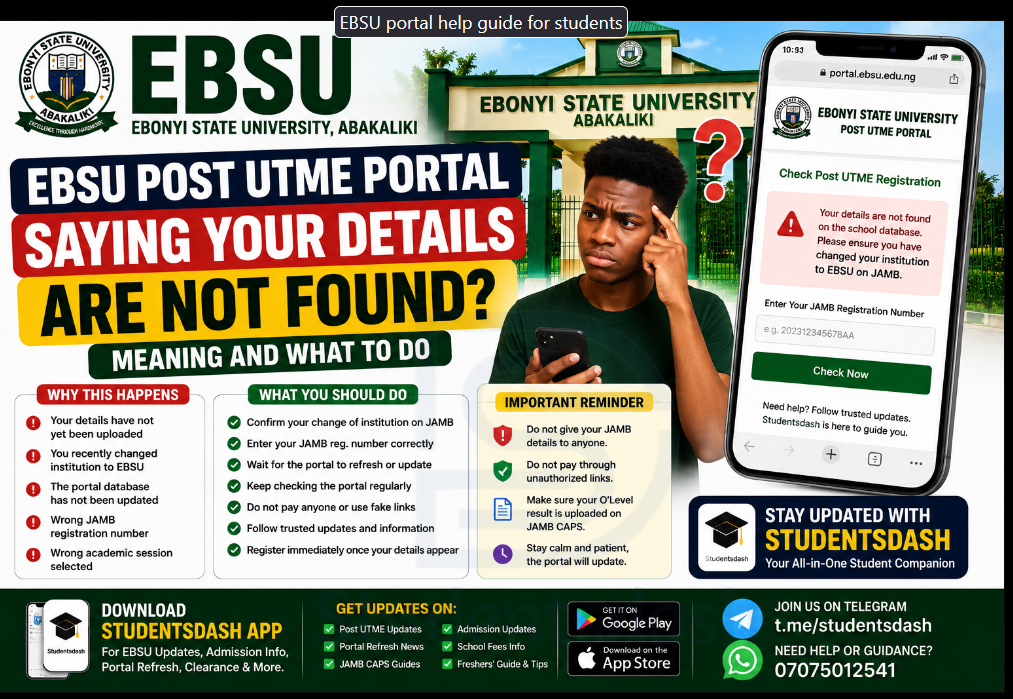
Many candidates trying to register for EBSU Post UTME 2026/2027 may face one common issue on the portal.
You enter your JAMB registration number, but the portal says your details are not found, not available, or not yet on the school database.
If this happens to you, do not panic immediately.
It does not always mean you did anything wrong.
In many cases, it simply means that your details have not yet reflected on the EBSU portal, especially if you recently did change of institution to EBSU.
This article will explain what it means, why it happens, and what you should do next.
To stay updated on EBSU Post UTME, portal refresh, JAMB CAPS, admission updates, and freshers’ guides, download the Studentsdash app here:
https://studentsdash.com.ng/app
Why Is EBSU Portal Saying My Details Are Not Found?
If the EBSU portal says your details are not found, it may be because your JAMB details have not yet been uploaded or updated on the school portal.
This usually happens to candidates who recently changed their institution to Ebonyi State University, Abakaliki.
After doing change of institution on JAMB, your details may not appear on the school portal immediately.
It can take some time before EBSU receives or updates the new list of candidates on the portal.
So if you just changed to EBSU and the portal is not showing your details yet, calm down and keep checking.
Does It Mean I Cannot Register?
No, not always.
If you scored up to the required cut-off mark and you have changed to EBSU properly, you may still be able to register once your details reflect on the portal.
The issue is usually that the portal has not yet recognized your JAMB registration number.
So instead of panicking, you should give it some time and keep checking for updates.
What Is Portal Refresh or Portal Update?
Many students call it portal refresh.
Some call it portal update.
They both mean almost the same thing.
It simply means the school portal may need to update its database so that new candidates’ details can appear.
For example, if you changed your institution to EBSU today, your details may not show immediately on the EBSU Post UTME portal.
When the portal is refreshed or updated, your JAMB registration number may then start showing, and you can continue your registration.
What Should You Do If Your Details Are Not Showing?
If your details are not showing on the EBSU portal, here are some things you should do.
1. Confirm That Your Change of Institution Was Successful
Before blaming the EBSU portal, first confirm that your change of institution was successful on JAMB.
Make sure EBSU is now showing as your institution.
If the change was not done properly, your details may not appear on the school portal.
You can visit a trusted CBT centre to confirm.
2. Check Your JAMB Registration Number
Sometimes, the problem may be from wrong typing.
Make sure you entered your JAMB registration number correctly.
Do not add extra space.
Do not miss any letter.
Do not type another person’s number.
Before submitting, check the number again.
A small mistake can make the portal show that your details are not found.
3. Wait for the Portal to Update
If your change of institution was done correctly and your JAMB registration number is correct, you may need to wait for the portal to update.
This can take some time.
Do not panic because your details are not showing immediately.
Keep checking the portal from time to time.
4. Do Not Pay Random People
This is very important.
Some people may tell you they can make your details appear on the portal if you pay them.
Be careful.
Do not give money to random people.
Do not send your JAMB details to people you do not trust.
Do not allow fear to make you fall for scam.
If the issue is from portal update, you may just need to wait until the school updates the database.
5. Follow Trusted Updates
During this period, you need to follow trusted updates so you will know when the portal refreshes.
Sometimes, candidates keep trying without knowing whether the portal has been updated or not.
To avoid stress, follow reliable student update platforms.
You can download the Studentsdash app here:
https://studentsdash.com.ng/app
Can I Register at a Cyber Cafe or CBT Centre?
Yes.
If you do not know how to register by yourself, you can go to a trusted cyber cafe or CBT centre.
You can also meet a trusted friend who understands the process.
But make sure the person helping you knows what they are doing.
Do not allow anyone to use the wrong JAMB registration number or wrong details.
Also, make sure you collect your registration slip after the registration is completed.
What If the Portal Keeps Saying Details Not Found?
If the portal keeps showing that your details are not found, check these things again:
Did you really change your institution to EBSU?
Was the change of institution successful?
Are you entering the correct JAMB registration number?
Did you choose the right year or session?
Has EBSU updated the portal database?
Are you using the correct EBSU portal?
If all these are correct, then you may need to wait and keep checking.
Do Not Wait Until the Last Minute
Even if your details are not showing now, keep checking regularly.
Do not wait until the deadline is close before trying again.
Once your details appear, complete your registration immediately.
Waiting until the last minute can cause stress, network issues, payment problems, or mistakes.
What To Do Once Your Details Show
Once your details finally show on the EBSU portal, continue with your registration.
You may need to:
Generate your payment invoice
Pay the Post UTME fee
Return to the portal
Fill in your personal details
Enter your O’Level result
Submit the form
Print or save your registration slip
Make sure everything is correct before submitting.
Make Sure Your O’Level Result Is Uploaded
After completing your Post UTME registration, do not forget your O’Level upload.
Your WAEC, NECO, NABTEB, or combined result should be uploaded on JAMB CAPS.
It is not enough to only fill it on the school portal.
If your O’Level result is not uploaded on JAMB CAPS, your admission may be delayed or affected.
Use Studentsdash App To Stay Updated
If you want to know when the portal is refreshed or when important EBSU updates come out, download the Studentsdash app here:
https://studentsdash.com.ng/app
You can use the app to follow EBSU Post UTME updates, portal refresh news, JAMB CAPS guides, admission updates, clearance tips, and freshers’ information.
Important Things To Remember
If your details are not found, do not panic immediately.
It may mean the portal has not updated yet.
Confirm your change of institution was successful.
Check your JAMB registration number carefully.
Do not pay fake agents.
Keep checking the portal.
Follow trusted updates.
Register immediately once your details show.
Final Advice
If the EBSU Post UTME portal says your details are not found, stay calm.
It does not always mean you are not qualified or that you made a mistake.
If you recently changed institution to EBSU, your details may take time to reflect on the portal.
Confirm your change of institution, check your JAMB registration number, avoid fake agents, and keep checking for portal updates.
To stay updated on EBSU portal refresh, Post UTME registration, admission updates, JAMB CAPS, and freshers’ guides, download the Studentsdash app here:
https://studentsdash.com.ng/app
You can also join Studentsdash on Telegram through t.me/studentsdash or call/message 07075012541 for questions and guidance.
Studentsdash is available to help EBSU aspirants stay updated and avoid mistakes during the admission process.
Follow Studentsdash
Get the latest admission updates, school news, NELFUND information, scholarships and important announcements directly on Telegram and WhatsApp.
Stay connected so you don’t miss important student updates.


