Why NELFUND May Reject Your Student Loan Application (And How to Fix It)

The NELFUND Student Loan has helped many Nigerian students, but a lot of people still get rejected not because they don’t qualify, but because of small mistakes that can be avoided.
If your application has ever been rejected or you want to avoid problems, this guide from Studentsdash will help you understand the common reasons and what you should do next.
1. Using Wrong Personal Details for the Student Loan
NELFUND checks every detail you submit, so if your information does not match their records, your application may be rejected.
Some common mistakes include:

- Wrong date of birth
- Wrong BVN
- Wrong NIN
- Wrong JAMB registration details
- Wrong school information
NELFUND uses these details to confirm your identity. If anything does not match, they treat it as suspicious and decline the application.
Solution:
Before applying, double-check all your information. Make sure your BVN, NIN, school details, and personal data match exactly.
2. Uploading Wrong Documents on the Student Loan Portal
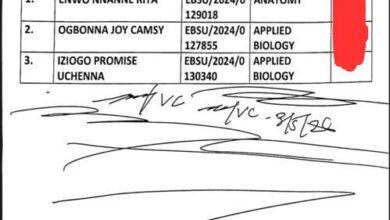
Many students upload documents that NELFUND did not request, or they upload the wrong format entirely.
This is one of the fastest ways to get rejected.
Examples:
- Uploading school ID instead of admission letter
- Uploading someone else’s document
- Uploading an old or expired document
Solution:
Follow the instructions carefully. If they ask for your admission letter, upload only that. Make sure the document is correct and belongs to you.
3. Uploading Blurry or Unclear Documents
Even if you upload the correct document, NELFUND may reject it if it is not clear.
Common issues include:
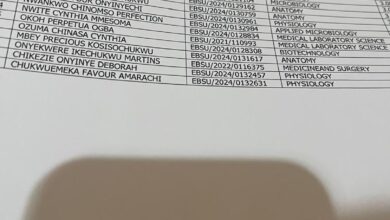
- Blurry pictures
- Shadows covering the document
- Cropped documents
- Low-quality scans
- Document not readable
Solution:
Use a clear camera or a scanning app. Make sure the text is readable and the whole document shows in the picture.
4. Details on Your Documents Don’t Match Your Application
This one is common among many students.
For example:
- Your name on BVN is Chukwu Emeka, but on NIN it is Emeka Chukwu
- Your date of birth is different on NIN and BVN
- Your admission number or school details don’t match the school’s database
When NELFUND sees different information, they reject the application for your safety.
Solution:
Make sure all your documents have the same name, same information, and same spellings. If something is wrong, update it before applying
5. Submitting Fake or Edited Documents
NELFUND has a powerful verification system. If you upload fake, edited, or manipulated documents, your application will be rejected instantly.
They might also block you from reapplying.
Solution:
Always use real and original documents. If you’re missing something, talk to your school or Studentsdash for guidance.
Can You Reapply If NELFUND Rejects You?
Yes, you can.
NELFUND allows students to reapply after correcting the mistakes.
This means:
- Fix your documents
- Correct your details
- Make sure everything matches
- Then submit again
If you’re confused or don’t know what caused the rejection, Studentsdash can guide you step-by-step.
Need Help With Your NELFUND Application?
You don’t need to struggle alone. At Studentsdash, we help students submit correct information so they don’t get rejected again.
If you have questions or need help:
📞 Chat on WhatsApp: 07075012541
📢 Join our Telegram: t.me/studentsdash
📱 Download our App: studentsdash.com/app
We’re always ready to assist you.
Final Thoughts
NELFUND applications are simple, but small mistakes can stop you from getting the loan.
By using the right details, submitting clear documents, and making sure everything matches, you can avoid rejection easily.
And if anything goes wrong?
Studentsdash is here to help you fix it and reapply successfully.